
To complete the web check-in for Fast Ferries, please follow the steps below. Keep in mind that check-in is available up until the ferry‘s departure. Also, something important to note is that although the tickets will be sent electronically, printing the boarding pass is mandatory. Otherwise, you will be denied boarding.
Step 1
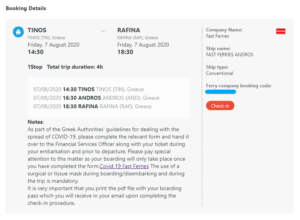
Open the confirmation email you have received from Ferryscanner and click on the red Check-in button.
Step 2
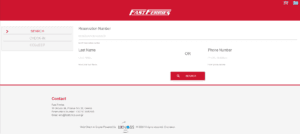
You will then be redirected to this check-in page on the Fast Ferries website.
Step 3
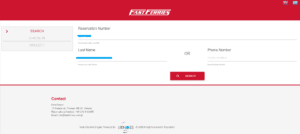
Enter your Reservation Number and Last Name, or instead just your phone number. Then click the red button that says Search.
Step 4
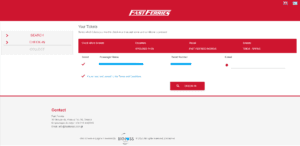
Select the names of the passenger(s). You’ll notice here that only an email is required. Finally, accept the Terms and click the red button that says Check-in.
Don’t forget to check your spam folder if the tickets aren’t in your inbox. Once you have them, make sure to print!
That’s it, you’re all done and ready to travel. Have a great ferry trip!
More Articles
View all Guidance articles
Ferries from Croatia to Italy: Routes, Prices & Travel Tips
26 February 2025
Sail from Croatia to Italy with ease! Discover ferry routes from Split, Pula, Rovinj, and Dubrovnik to Italy’s top destinations like Venice and Ancona. Compare schedules, prices, and travel tips to plan your Adriatic crossing.

7 UNESCO World Heritage Sites worth boarding a ferry for
7 September 2026
Some places you should really arrive at by boat. Check out these 7 UNESCO World Heritage Sites, from the Giant's Causeway to the Amalfi Coast, that you can reach by ferry.